

Microsoft's November 2026 Windows 365 announcement raises a practical question for small businesses: can a Cloud PC let an older refurbished laptop remain useful for longer? Sometimes it can. Windows 365 runs a Windows desktop in Microsoft's cloud and streams it to a local device. The local laptop still provides the screen, keyboard, network connection, and access software, but the Cloud PC supplies the remote desktop's processor, memory, storage, and applications. That arrangement can help when a working laptop struggles with a particular business application. It is not a way to repair a failing battery, remove the need for internet access, or make every old computer secure.
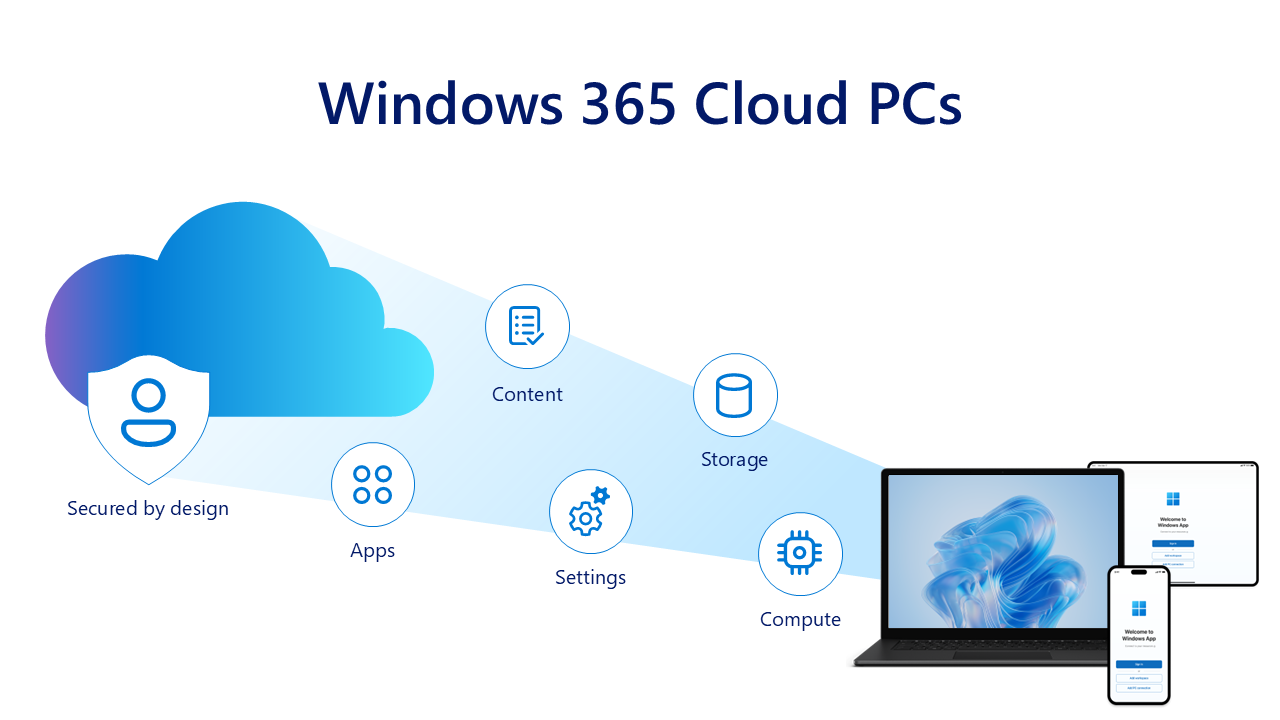
What changed in November 2026?
At its November 17 Ignite event, Microsoft introduced Direct Stream as the technology behind Windows 365 and Azure Virtual Desktop. Microsoft described improved connection reliability and responsiveness, including on difficult networks. Those are Microsoft's service-level claims, not a guarantee that every home or office connection will feel as fast as a local PC. The company also discussed GPU-enabled Cloud PCs with improved colour and support for up to two 4K displays at 60 frames per second, but described that particular capability as coming to preview in early 2027. It should not be treated as a feature of an ordinary Windows 365 Business subscription purchased today.
Windows 365 itself is not new. The November announcement is relevant because connection quality has always been central to whether a Cloud PC is pleasant to use. Better streaming can make an existing laptop more useful as an access device, especially for office software. The economics and physical condition of that laptop still need a separate assessment.
What work moves to the cloud, and what stays local?
In a Windows 365 session, the Cloud PC runs its assigned Windows environment and the applications installed there. A user can connect through Microsoft's Windows App or a supported web browser, depending on the account and device. Microsoft's access guide lists Windows, macOS, ChromeOS, and Linux as supported platforms for its web client. That means the physical laptop does not need to match the Cloud PC's processor or RAM specification. A modest local machine can display a more capable remote desktop.
It still has local responsibilities. The laptop must boot reliably, run a current supported browser or client, connect to the network, show the stream smoothly, and handle its camera, microphone, keyboard, and attached displays. If its Wi-Fi drops, the Cloud PC session can be disrupted. If the local battery lasts only an hour, remote processing will not fix that. A poor screen or broken hinge will look and feel the same whether the applications run locally or remotely.
Think of this as moving a defined workload, not upgrading the hardware inside the laptop. Files and applications can remain in the Cloud PC, but access to local printers, drives, or peripherals may depend on client settings and organizational policy. Test the actual devices and software before relying on a cloud-only workflow.
Which refurbished laptops are reasonable Cloud PC clients?
A laptop that is still in sound physical condition, has a supported operating system or browser, and connects reliably to the internet can be a candidate. An older business laptop with a usable keyboard, display, webcam, and battery may be entirely adequate for a browser-based Windows 365 session. Microsoft documents end-user hardware requirements, but these vary by client and by tasks such as Teams video calls. Do not reduce the purchase decision to a single minimum RAM number.
For a buyer, the first distinction is whether the laptop will also run local work. If you intend to install current applications, store files offline, or use the machine away from Wi-Fi, its own processor, memory, and storage remain important. If it is primarily a managed terminal for a Cloud PC, the network adapter, battery, screen, keyboard, and security updates may deserve more attention than a high-end local CPU. Our guide to checking Windows 11 eligibility on a used laptop is useful when the device will run Windows locally.
Also check who will manage the physical computer. The remote desktop does not automatically update its client's operating system or prevent malware on that client. A laptop with an unsupported local OS is a security and management issue even if the Windows desktop it streams is current. Some organizations use managed endpoints or alternative supported operating systems for this reason.
What about internet speed and latency?
A stable connection is more important than an impressive advertised download speed alone. The stream must react to every mouse movement, keystroke, and screen change. Video calls and several high-resolution monitors can add demands. Microsoft's connectivity guidance explains that latency, packet loss, jitter, routing, and distance to the Cloud PC all affect the experience. A fast connection with an unstable Wi-Fi signal may still feel worse than a slower, consistent wired connection.
For an office rollout, test from the places employees actually work: the office, home, and any frequently used travel location. Try a video meeting, opening a large file, switching applications, and reconnecting after a brief interruption. If staff need to work on a train, at a remote job site, or during an outage, plan which tasks can still be done locally. A Cloud PC is not a substitute for offline capability.
How should you compare the cost?
Windows 365 is a recurring service, not a one-time hardware upgrade. Its Business and Enterprise offerings have different management and licensing requirements. Microsoft lists Canadian Business plans by virtual CPU, RAM, and storage on its current pricing page; prices, promotions, taxes, and availability should be checked again before ordering. A larger Cloud PC can cost substantially more each month than a basic one. Enterprise plans can also depend on other Microsoft licences and IT administration.
Compare the complete cost over the period you expect to use the laptop. For example, multiply the monthly Cloud PC charge by 12 or 24, then add the local laptop, any app licences, support, and connectivity costs. Compare that with a suitably equipped refurbished laptop running the same workload locally. If the only issue is a small SSD or too little RAM, a local upgrade or a different refurbished model may be cheaper over two years. Our article on checking whether laptop RAM can be upgraded covers one such decision.
The cloud route can be easier to justify when staff need a centrally managed Windows environment from several devices, a specialised application needs more remote resources, or a business wants to keep functioning physical laptops in service. It is less compelling if one person simply needs a faster everyday laptop and already has the necessary applications and storage locally.
Who should consider it?
A small business with a group of still-functional laptops is the clearest candidate for a trial. Select one representative machine and one representative user, then test the actual software, peripherals, video calls, and network conditions. Ask an IT administrator to confirm licensing, security policy, file access, backup, and what happens if a staff member loses access to the service. If the trial works, the business can decide whether keeping the hardware longer offsets the subscription and support cost.
For an individual shopping for a used laptop, Windows 365 is usually not the starting point. Choose a laptop that can run the work you need locally unless you already have a business Cloud PC account or a clear reason to subscribe. Cloud streaming may extend the useful life of good hardware, but it does not rescue hardware that is unreliable, uncomfortable, or unable to receive suitable security maintenance.
The short answer
Yes, Windows 365 can extend the practical life of some refurbished laptops by running demanding Windows work on a Cloud PC while the laptop acts as a client. Microsoft's November 2026 Direct Stream announcement makes connection quality a timely point to reassess, but future GPU features are not yet standard availability. The decision depends on the physical laptop's condition, the quality of the connection, the workload, IT requirements, and the subscription cost over time. Test those factors against a capable local refurbished laptop before choosing either approach.